

Most meeting room systems start from the corporate calendar: the scheduler reads room mailboxes in Microsoft 365 or Google Workspace, and the rollout follows that connection.
Accor chose a self-contained setup instead. Bookings are made in truRooms Navigator and the schedulers show what Navigator holds, so the system never needs access to anyone's mailbox or calendar. With nothing to connect, the rooms were ready the day the office opened. This post covers what Accor was trying to fix, what we installed, and what Mr. Nilesh Patel, Accor's Director of IT for India and South Asia, said about it six weeks after go-live. The whole conversation is below if you would rather watch than read.
The problem: a daily headache for the admin team
Accor's problem was the one most offices have. In Mr. Nilesh's words, managing the meeting rooms was "a daily headache for the admin department." Three failures kept repeating:
- Double bookings. Two teams arriving at the same room for the same hour.
- Room hunting. People walking the floor looking for somewhere empty to talk.
- Ghost meetings. Rooms booked and never used, blocking everyone who needed one.
None of these is a software failure on its own. They come from people not being able to see, at the door, who holds a room and until when. That is the gap a scheduler on the wall closes.
What we installed
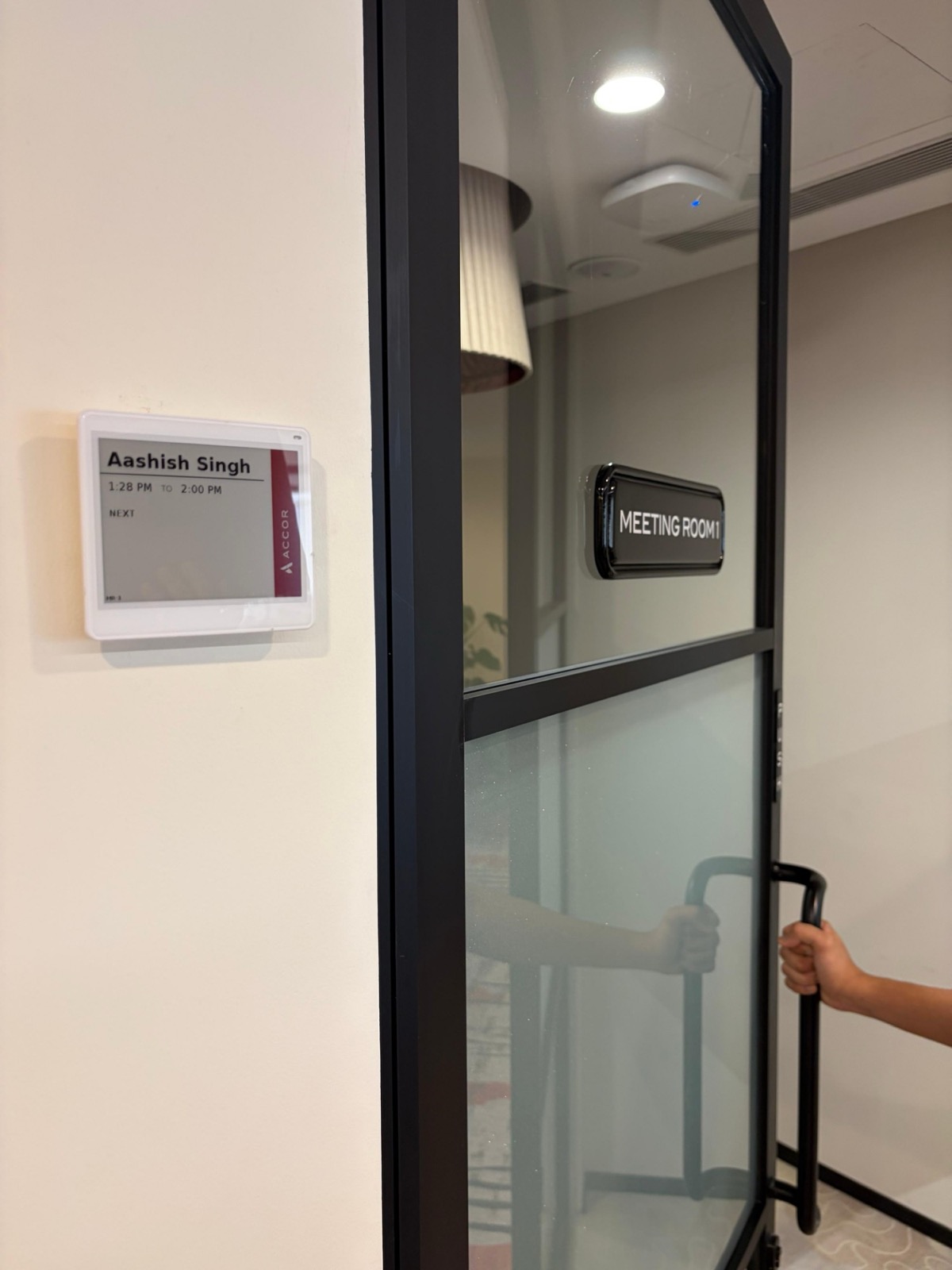
Every meeting room in the new office got a truRooms E-Paper Meeting Room Scheduler beside its door, all driven from truRooms Navigator.
| Accor, Golf Course Road, Gurgaon | |
|---|---|
| Rooms covered | Every meeting room in the office |
| Live since | 15 September 2026 |
| Hardware | truRooms E-Paper Meeting Room Schedulers, battery powered, no cabling |
| Booking | truRooms Navigator, with separate logins for admin and reception |
| Mailbox or calendar access | None; the system holds only its own bookings |
| Shown at the door | Host and meeting times; meeting titles withheld |
| Hardware setup | Hours |
Shipped ready, mounted without an electrician
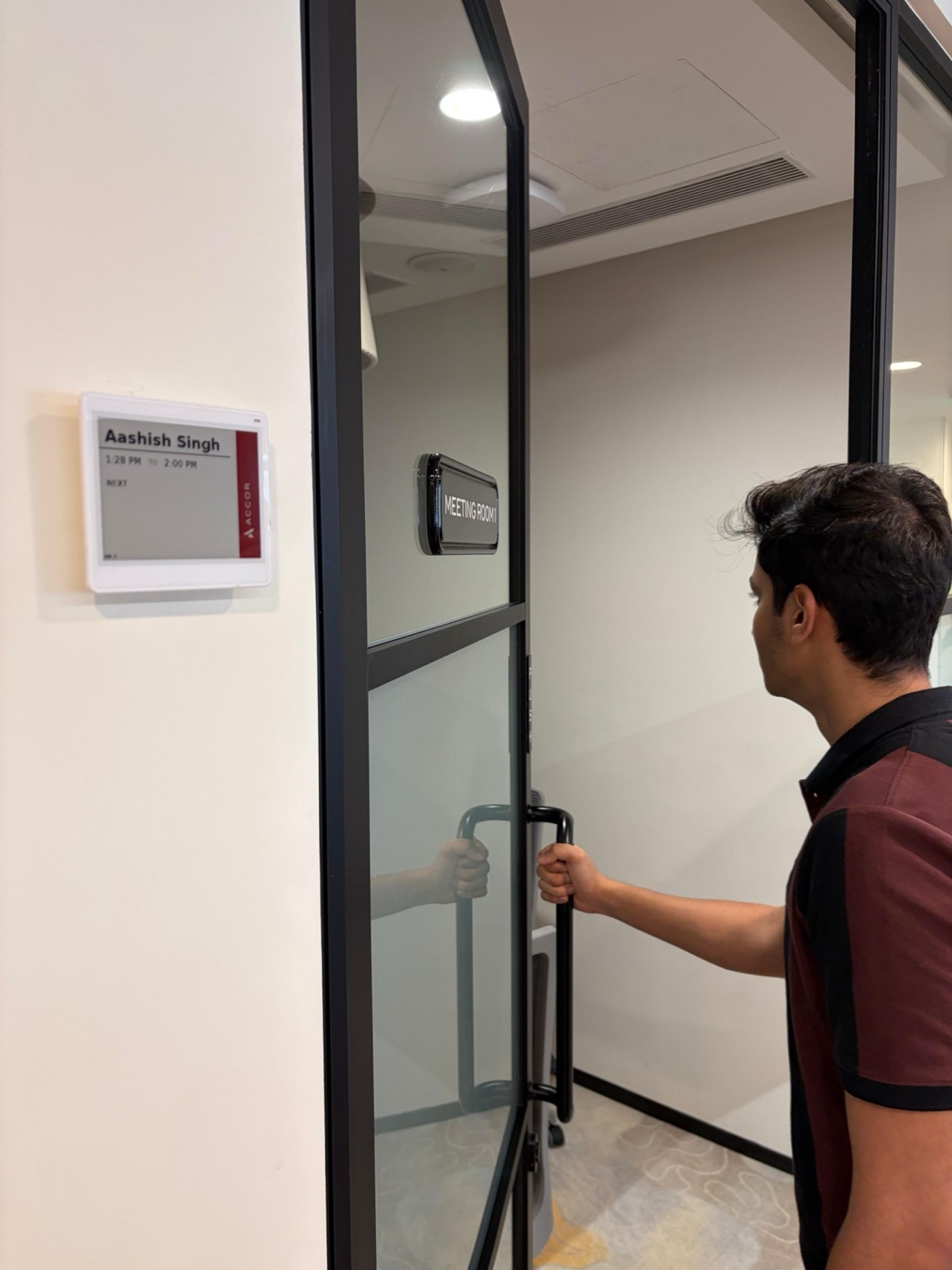
The schedulers arrived configured. Accor's team matched each one to its room and fixed it to the wall. There was no cable to run, because the panels are battery powered and talk to a gateway over BLE, so no wall was opened and no electrician was booked.
I was personally prepared for a complex rollout. The actual installation was surprisingly very simple. The hardware setup took us hours instead of days.
Mr. Nilesh Patel, Director of IT, Accor Hotels, India & South Asia
Booking on truRooms Navigator, a self-contained setup
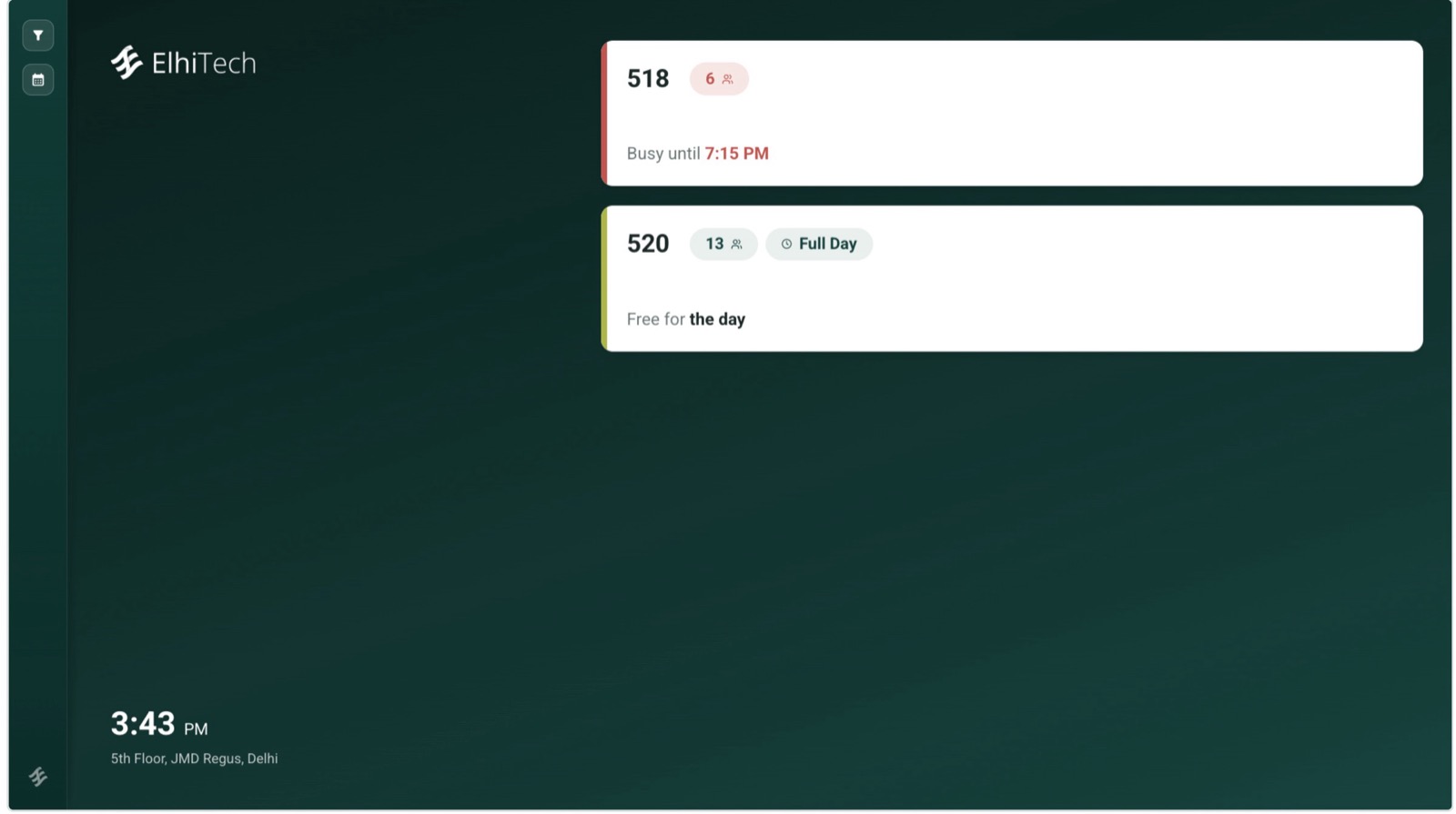
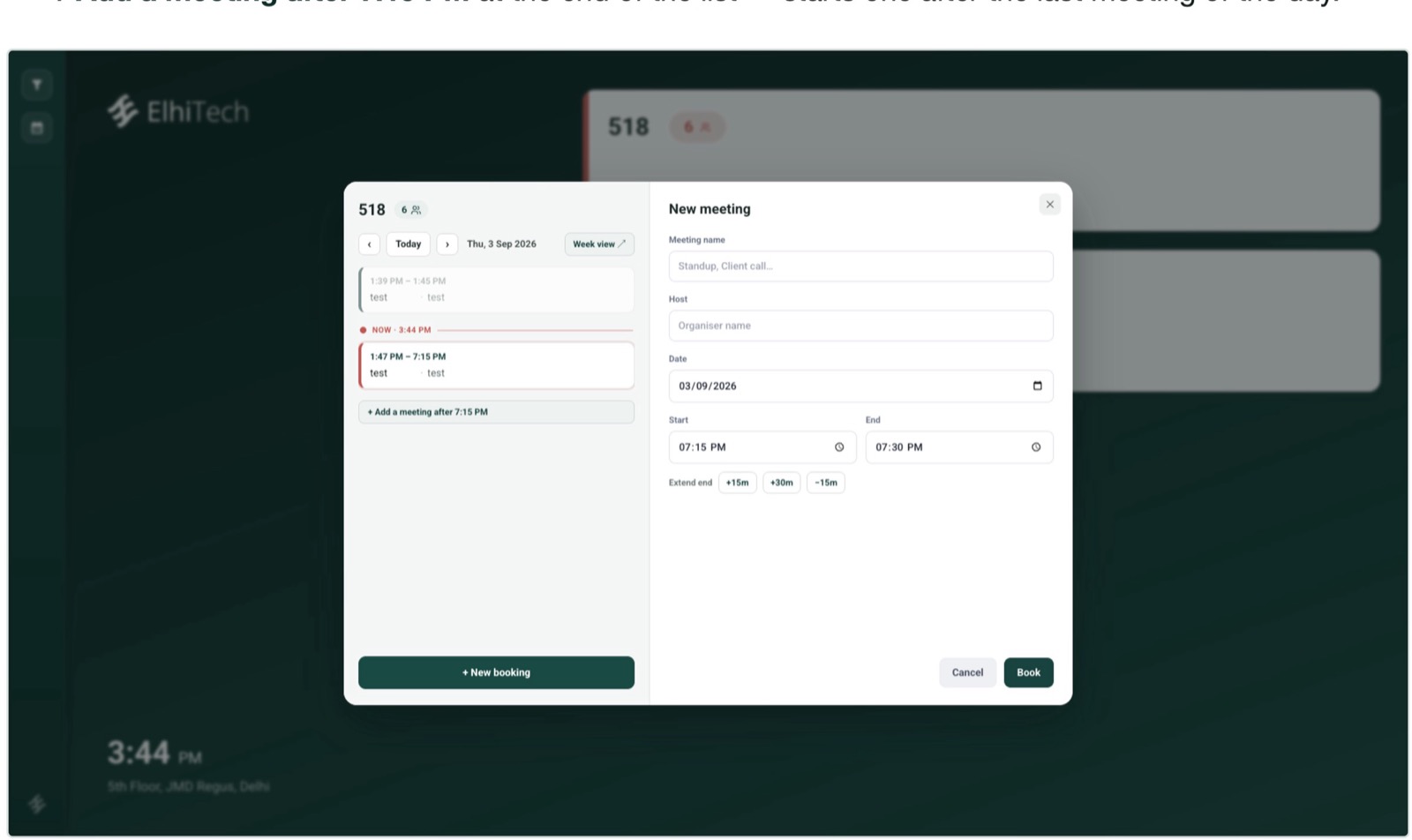
Accor chose to run room booking on truRooms Navigator, ElhiTech's own booking screen, rather than through its corporate calendar. Navigator holds the bookings and the schedulers display them, so the system needs no access to Accor's mailboxes or calendars. Navigator shows every room on the floor and lets staff book one in a few taps.
Two choices made this fit the way Accor's front office actually works:
- Several bookers, each with their own login. Admin staff and reception both book through Navigator, so either desk can take a room request for anyone in the office.
- Privacy between bookers. Accor runs Navigator in the mode that hides meeting titles created by other Navigator users. Each desk can see that a room is taken without seeing what the meeting is about.
For organisations that do want bookings to start in Outlook or Google Calendar, truRooms connects to Microsoft 365, on-premises Exchange and Google Workspace, and we have written about booking without leaving your calendar. Accor's case shows the integration is an option, not a precondition.
A scheduler template designed for Accor
Accor did not want meeting names on the door. We designed the scheduler template to show only the host and the meeting times, with Accor's own branding down the side. Anyone in the corridor can see who has the room and when it frees up. What the meeting is about stays private.
What changed for Accor
Mr. Nilesh described the results in operational terms, not feature terms. That is the right test for a system like this: whether the admin team gets its time back and whether staff stop asking where to meet.
| Area | What Accor reported |
|---|---|
| Rollout | Hardware live in hours, where days had been planned |
| Adoption | Staff comfortable on the first day, with no complaints since |
| Spontaneous meetings | Walk up, read the scheduler, take a free slot |
| Readability | No glare under office lights or direct sunlight |
| Maintenance | No charging routine for the admin team |
| Change requests | Handled within minutes, from the backend, with no visit to any scheduler |
| Cost | Described as an economical solution that matched what Accor was looking for |
Everybody became a pro on the first day itself. The new workflow felt entirely natural to everyone.
Mr. Nilesh Patel
The point about glare is worth dwelling on. E-paper reflects light the way printed paper does instead of emitting it, which is why a scheduler stays readable in a sunlit corridor. We go through the trade-offs in e-paper vs LCD room panels. On power, e-paper draws current only when the image changes, which is why our panels run for 2 to 5 years on a battery under normal use.
Support after go-live
A rollout is judged by the first month, not the first day. Accor asked for a number of changes in the week after go-live, as any office does once real people start using a system. Mr. Nilesh's account of how those were handled:
By the time we realised we were facing a problem, the solution was already there. We didn't even have to get the application upgraded on each and every panel. Everything was handled at the backend.
Mr. Nilesh Patel
That is a property of the architecture as much as the team. The schedulers render what the server sends them, so a template change or a configuration change reaches every room without anyone walking the floor.
What to take from Accor's rollout
If you are planning meeting room scheduling for a new office, Accor's sequence is worth copying:
- Start with the door. Decide what someone in the corridor needs to see. For Accor that was the host and the time, and not the title.
- Decide who books. If bookings come through admin and reception, Navigator logins for each desk may be all you need on day one.
- Treat calendar integration as a choice. Connect Microsoft 365 or Google Workspace when you want bookings to start in Outlook or Calendar, not because the rollout cannot begin without it.
- Pick hardware that needs no cabling, so the install is measured in hours and fits around the office move.
- Plan for the first week of changes. Ask your vendor how a template or setting change reaches every room, and how long it takes.
My final word: go ahead. You have a win over here.
Mr. Nilesh Patel, Director of IT, Accor Hotels, India & South Asia, on whether he would recommend ElhiTech

If you would like to see the same setup in one of your own rooms, the truRooms product page has the details, and the meeting room scheduler page lets you book a demo.
Frequently asked questions
What did Accor deploy at its Gurgaon office?
Accor installed truRooms E-Paper Meeting Room Schedulers by ElhiTech on every meeting room at its new office on Golf Course Road, Gurgaon, with bookings made through truRooms Navigator. The system went live on 15 September 2026.
Did Accor have to integrate the schedulers with its corporate calendar?
No. Accor chose a self-contained setup: admin and reception staff book rooms in truRooms Navigator, each with their own login, and the system needs no access to Accor's mailboxes or calendars. truRooms can also connect to Microsoft 365, on-premises Exchange and Google Workspace for organisations that want bookings to start in their calendar.
How long did the installation take?
According to Mr. Nilesh Patel, Accor's Director of IT for India and South Asia, the hardware setup took hours rather than the days he had planned for. The schedulers arrived configured, run on battery and need no cabling, so each one only had to be matched to its room and fixed to the wall.
Can a meeting room scheduler hide the meeting title?
Yes. Accor's scheduler template shows only the host and the meeting times, with no meeting title, so people in the corridor can see who has the room and until when without seeing what the meeting is about. Navigator can also hide meeting titles created by other Navigator users.
How long does the battery last on an e-paper meeting room scheduler?
ElhiTech's e-paper panels are rated for 2 to 5 years of battery life under normal usage conditions, because e-paper draws power only when the image changes and holds a static image at no power.