

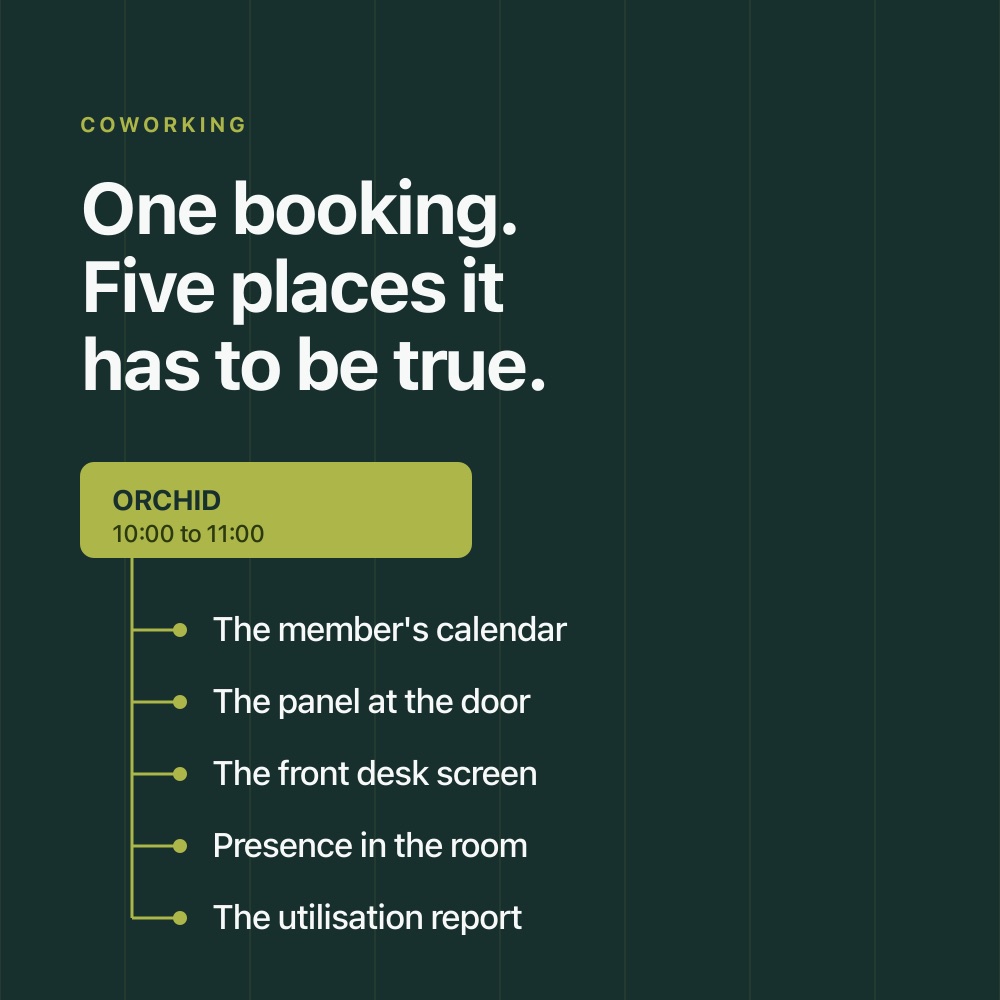
Meeting rooms in a coworking space carry a different commercial weight from meeting rooms in a corporate office. In a corporate office the rooms are overhead, everyone booking them sits in one directory, and a bad booking costs an argument. On a coworking floor the rooms are revenue, the people booking them belong to a dozen different companies, and a bad booking costs a refund and a renewal conversation.
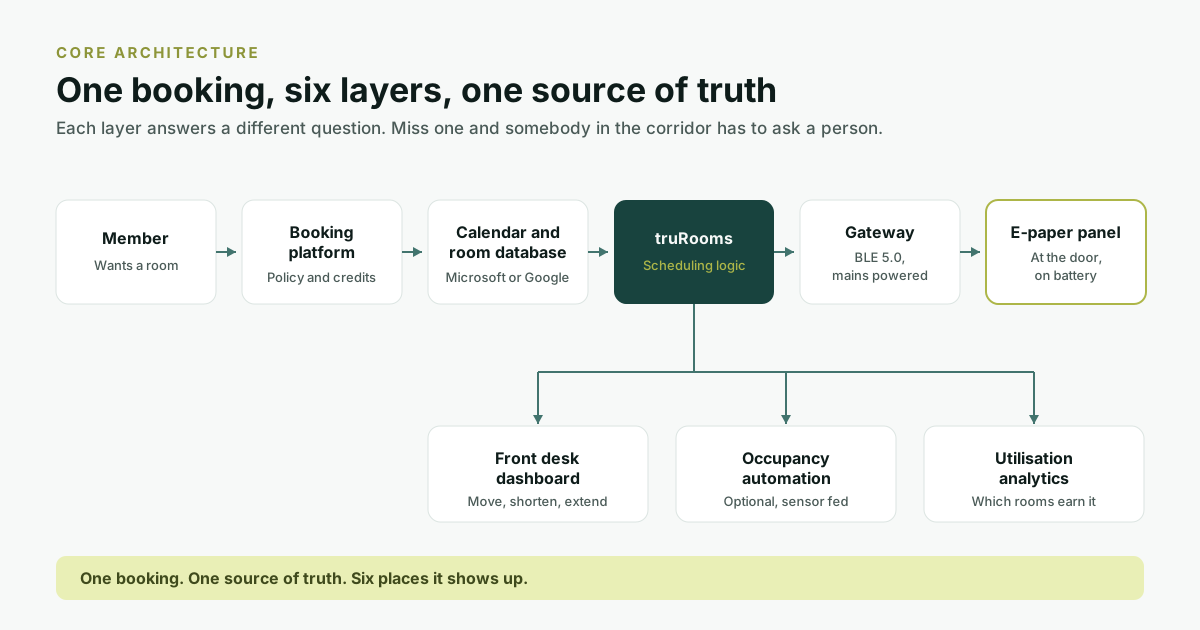
That changes what you are specifying. The question is not which booking tool to buy. It is how to keep the member, the calendar, the room, the operations team and the person standing in the corridor looking at the same answer, at a per-room cost that still works when you open the next site.
This guide works through the stack layer by layer: booking, calendar integration, the display at the door, the choice between LCD and e-paper, no-show handling, and reporting. Each section says what the layer decides and what it costs to get wrong. Last verified: September 2026.
Seven failures the setup has to prevent
These are the recognisable ways a shared floor goes wrong. Each one has a cost attached, and the cost is what decides how much of the stack is worth buying.
- Is this room free? Members walk to reception, or open two applications, to answer a question the corridor in front of them should have answered. The cost is front-desk time, and it scales with member count.
- Double bookings. Two people hold the same room at the same hour, usually because one booked somewhere the other system does not read. The cost is a credit refund and a complaint.
- Booked and empty. A room is held, nobody arrives, and somebody who would have used it was told there was nothing free. The cost is unsold room-hours on an asset you are paying rent on.
- Front desk as the index. Reception becomes the answer to every room question. This is the failure operators tolerate longest because it never shows up as a line item.
- No visibility at the room. The booking exists in a database. The person outside the door cannot see it, so the booking does not settle the argument.
- No utilisation data. You know how many rooms you have. You do not know which ones justify their floor area, which sizes members actually book, or which room has been empty since March.
- Infrastructure constraints. In a leased building, getting power and network to every meeting room door is a works project with a landlord attached, not an IT task. This is the constraint that most often decides the hardware.
Building the stack, layer by layer
1. The booking layer
This is where members actually reserve a room. Depending on the operator it might be a coworking management platform, Microsoft 365, Google Workspace, a workplace management platform, a member portal, or several of those running in parallel because different member companies brought their own.
Both major calendar platforms already model rooms as first-class objects, which matters because it decides whether room availability is something you maintain or something you inherit. Google Workspace lets an administrator create buildings, features and calendar resources, so a room is added to an event and checked for availability like any other attendee. Microsoft does the equivalent through Outlook and Teams, with Teams panels as the display at the door.
- Real-time availability, capacity, amenities and booking policy per room
- Permissions that differ by member tier, and multiple floors and sites under one administration
- Duration limits, cancellation windows, recurring bookings and walk-ins
- A defined mechanism for reclaiming a room nobody turned up to
2. Calendar integration
The most expensive mistake at this layer is building a second booking system that members have to remember exists. Adoption decides the return on everything downstream: an unused booking system produces no utilisation data, which means no pricing argument, which means the analytics layer you paid for reports on a fraction of the floor.
truRooms books from inside Outlook, Microsoft Teams and Google Calendar. There are two routes to that, and a deployment runs one of them rather than both: a background sync that keeps rooms and calendars in agreement, or a calendar add-on that puts room discovery and booking inside the calendar itself. Which route suits an estate depends on its mail domains and its governance, and it is settled per deployment rather than per member company. The trade-offs are worked through in booking without leaving your calendar.
3. Visibility at the room
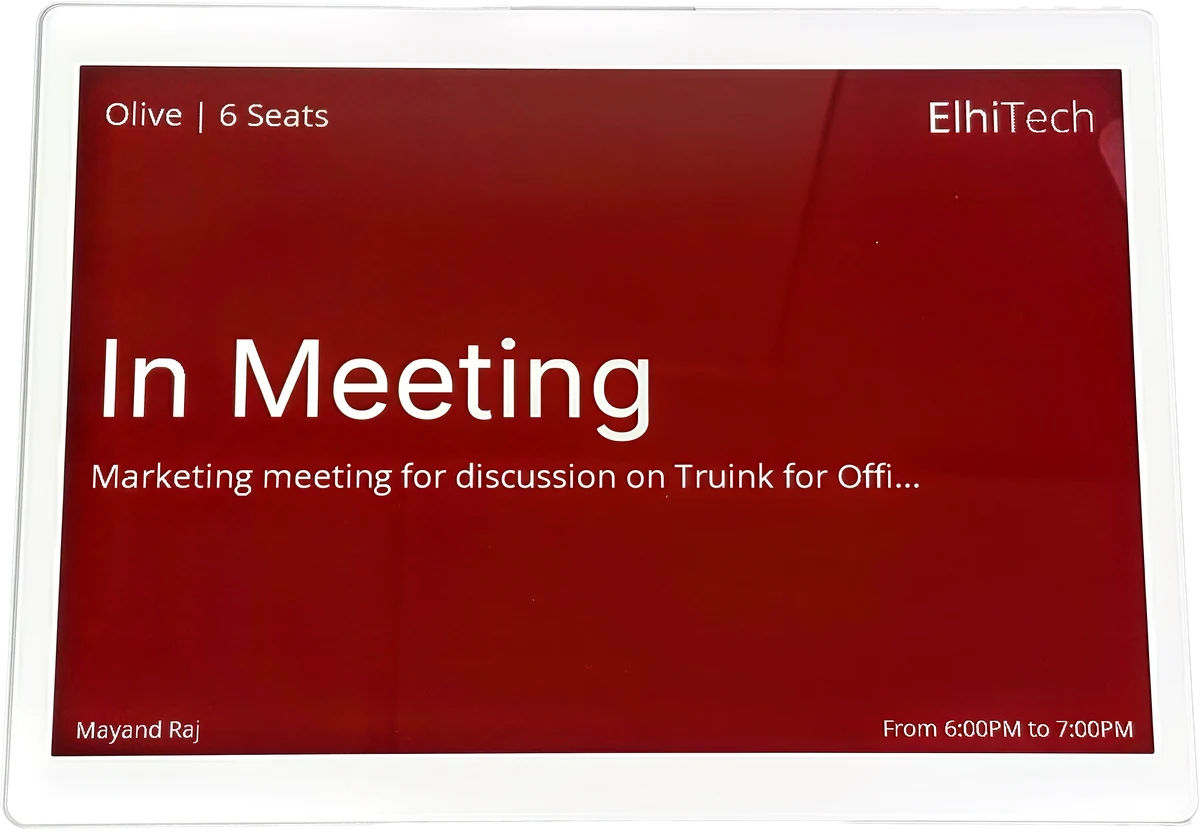
A member walking down your corridor should be able to answer three questions in about two seconds: is this room free, when is it booked next, and can I use it now. That is the entire job of the display at the door. It is the layer operators most often defer, and deferring it is what keeps the front desk answering room questions all day.
4. LCD or e-paper
This is the decision the rest of the project hangs off, and it is a decision rather than an upgrade path: the two technologies are built for different jobs, and the installation model follows from the choice.
| If the panel has to | Specify |
|---|---|
| Take touch input, run video, or show rich animation | LCD touchscreen |
| Present room name, status and the next booking | E-paper |
| Change content many times an hour | LCD touchscreen |
| Hold one image for long stretches on very little power | E-paper |
| Drive video-conferencing controls at the door | LCD touchscreen |
| Go somewhere a cable cannot reasonably reach | E-paper |
E-paper is not the better panel in general. It is the better panel for a specific job. A lobby video wall, or a door panel that has to drive conferencing controls, is an LCD requirement and we would specify one. Where the job is communicating room information, e-paper changes the economics, for reasons that have less to do with the display than with what has to reach the wall behind it. The full comparison is in where e-paper wins and where it does not.
5. What has to reach the door
Coworking floors change. Operators add rooms, reconfigure layouts, move member companies, open buildings, and do all of it inside a lease that limits what can be cut into a wall. Putting power and network behind every room panel turns a display project into a works project, and the cost lands on trades, permits and downtime rather than on the hardware line of the quote. That is why comparing panel prices between a wired and a wireless option tells you very little.
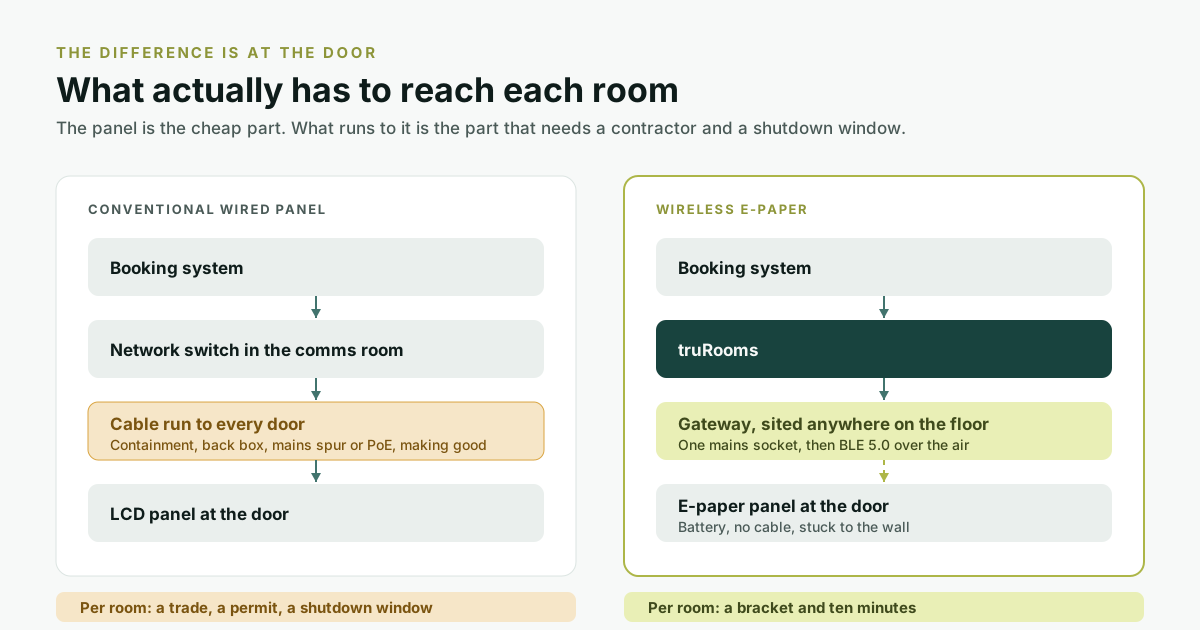
A battery-powered e-paper panel removes that work. The truRooms e-paper scheduler runs without power or network cabling at the display, communicating over BLE 5.0 with a gateway sited elsewhere on the floor. ElhiTech publishes 2 to 5 years of battery life and three sizes: 4.2 inch, 7.3 inch and 11.6 inch, portrait or landscape. The published gateway figure is 3,000 or more tags across roughly 300 sq. m. Treat that as a density ceiling rather than a coverage plan: partition construction, lift cores and metal-backed glass all affect range, so gateway count and placement are a survey question for the specific floor.
The arithmetic on what the wired alternative costs once trades are included is set out in the real cost of a meeting room door.
6. Reclaiming rooms nobody used
A booking is not a meeting. A member reserves Orchid for 10:00, does not arrive, and at 10:20 the calendar still says booked while somebody else is told the floor is full. On a revenue-generating floor this is the failure with the clearest cost, because every ghost booking is an hour of an asset you cannot resell.
There are two approaches, and they differ in what they depend on. Check-in makes the booking lapse unless somebody confirms it, usually at the panel, which means it depends on members remembering. Occupancy sensing acts on whether the room is actually in use, which does not. truOccupancy takes the second approach: it cancels ghost meetings, shortens and extends live bookings against real presence, and creates an ad-hoc booking when someone walks into a free room.
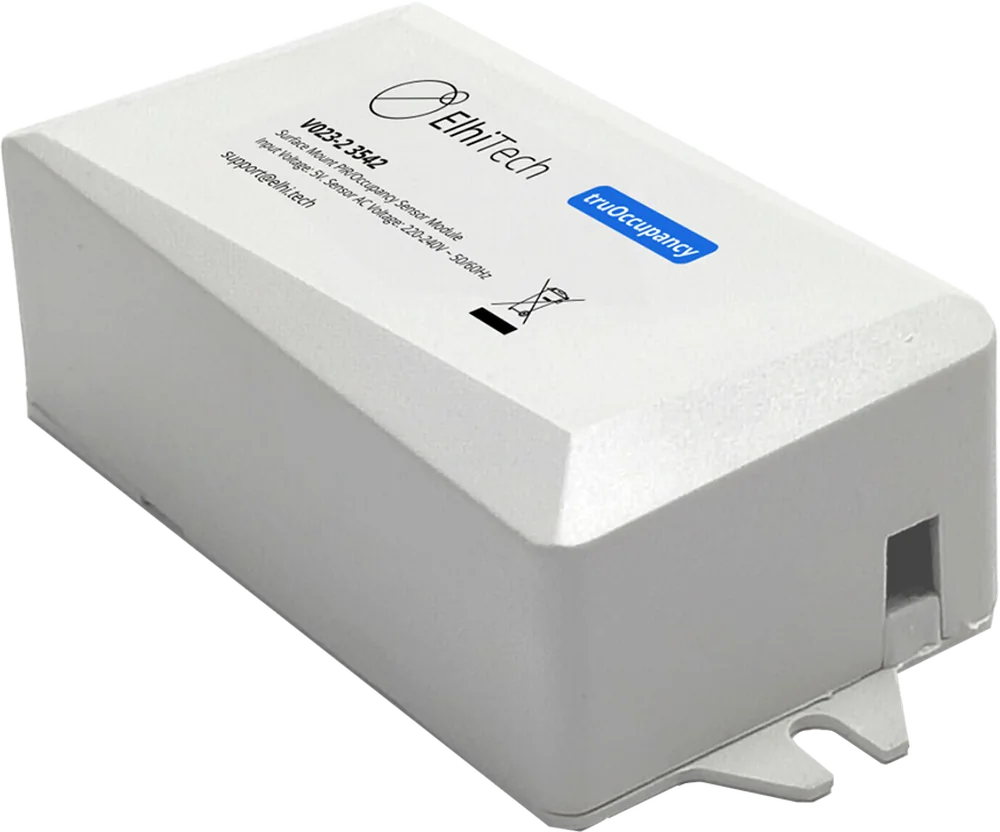
That last point is worth budgeting for rather than discovering. The panel at the door needs nothing behind it, but truIoT sensing devices take DC power and 2.4GHz Wi-Fi, so adding occupancy automation reintroduces a small amount of the infrastructure that the wireless panel removed. It is a per-room decision rather than an all-or-nothing one: sensing pays for itself fastest in the rooms that are most often ghost-booked, which on most floors is the largest two or three.
Sensing people, even without cameras, brings a privacy question with it, and in India that question now has a statute behind it. What does and does not count as personal data is covered in occupancy sensing and the DPDP Act.
7. The front desk view
Community managers are not the audience for analytics. They need every room on the floor, its status and what is coming next, and the ability to cancel, move, shorten or extend a booking in place rather than in a separate administration portal. That is the Admin Navigator console in truRooms. It is a different product from the Navigator wayfinding screens referred to later, which face members rather than staff.
8. Utilisation reporting
For a corporate office, utilisation data supports a real-estate argument once every few years. For a coworking operator it is an operating input: which rooms are oversubscribed, which sizes members actually book, where the peaks fall, and which room is quietly unused. truRooms produces daily, 7-day, 30-day, 60-day and custom-period reports on a schedule and delivers them, rather than waiting for someone to run one, broken down by capacity, by feature and by user adoption.
9. The second site
Most operators are either opening another location or evaluating one. The question to settle before signing, not after, is whether the same system spans sites under one administration or whether the second site means a second deployment with its own logins and its own reports. Multi-domain support belongs in the same conversation, because member companies arrive with their own mail domains and booking has to work across them without a weekly sync failure.
10. Amenities, not just capacity
Members are not looking for any available room. They are looking for one that seats ten and has a screen they can share to. Rooms on a coworking floor also carry different commercial values, so the amenity record is a billing input as much as a search filter, and an incomplete one sends members to the wrong room politely.
| Requirement | Room A | Room B | Room C |
|---|---|---|---|
| Seats 4 | Yes | Yes | Yes |
| Seats 10 | No | Yes | Yes |
| Video conferencing | Yes | Yes | No |
| Whiteboard | Yes | No | Yes |
| Boardroom layout | No | No | Yes |
What the panel at the door should show
The constraint is attention, not screen area. Everything beyond what a passing member needs competes with it.
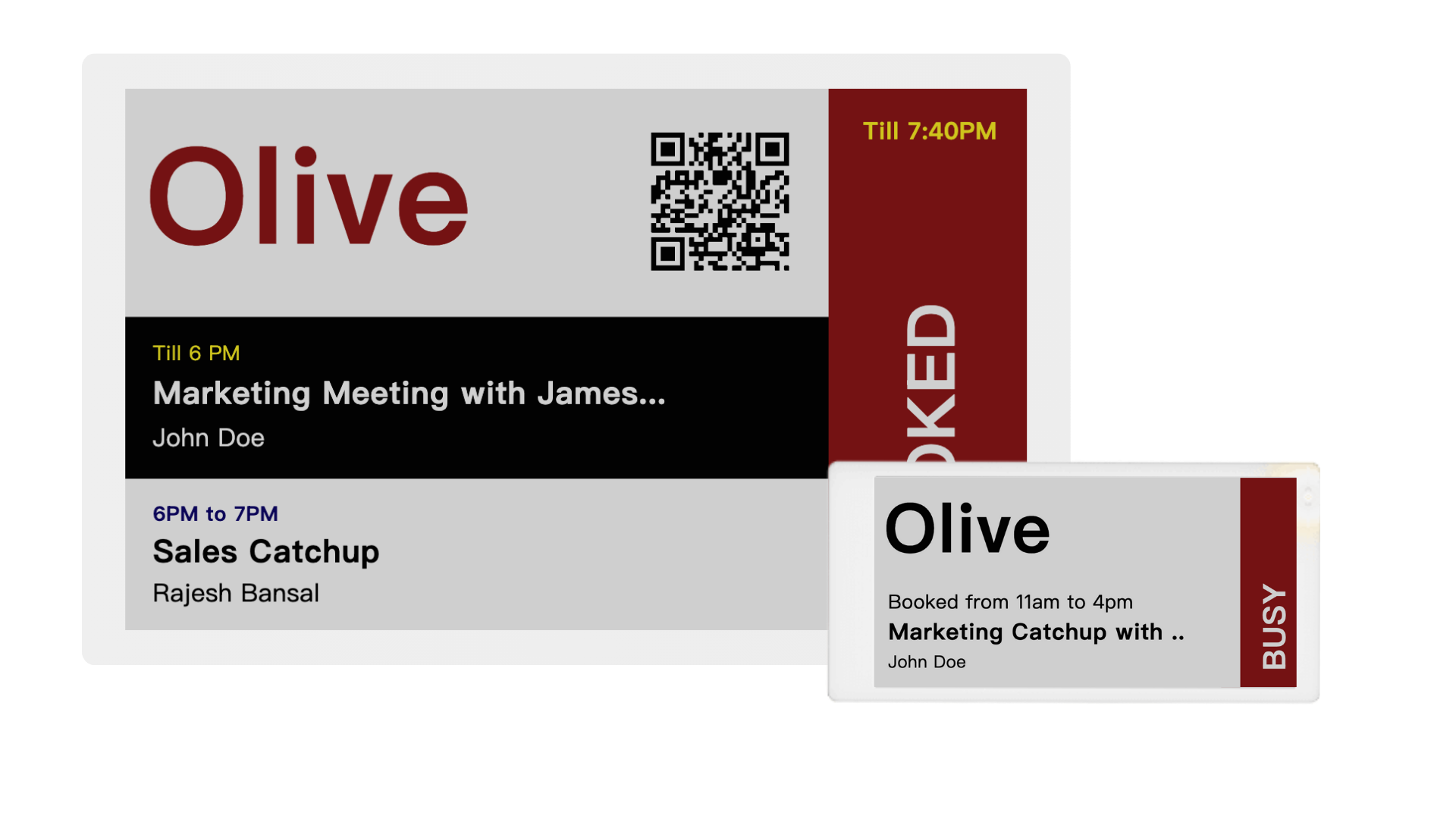
- Always: room name, whether it is free now, the time the current booking ends, and the next booking
- Often worth it: capacity, room type, amenities, and the holding company or member name where your privacy policy permits it
- Only if it earns the space: a QR code to book, and branding
The specification, condensed
| Layer | What to require |
|---|---|
| Booking | A central room-booking platform with policy per member tier |
| Calendar | Microsoft 365, Google Workspace, or whatever members already run |
| Room display | LCD or e-paper, decided against the job in layer 4 |
| Connectivity | Wired or wireless, decided against the building rather than the brochure |
| No-shows | Check-in at minimum, sensing where the room-hours justify it |
| Front desk | One console covering every room on the floor |
| Analytics | Utilisation and booking patterns, delivered on a schedule |
| Administration | Remote device management across sites |
| Security | Cloud, private cloud or on-premise, to match the member base |
| Scale | Multi-floor and multi-site under one administration |
When e-paper is the right specification
- You hold the space on a lease and would rather not alter the building to hang a display
- You have enough rooms that per-door installation savings compound into a real number
- You reconfigure floors often enough that a panel should move when a room does
- You want the corridor to read as signage rather than as a row of tablets
- The panel's job is room information rather than motion content
Where it is the wrong specification: if a panel has to drive video-conferencing controls, play motion content, or behave as a full touch interface, that is an LCD requirement. Most coworking floors need both, and the sensible split is usually e-paper at the meeting room doors and an LCD where people stand still long enough to watch something.
How to compare cost
There is no single price, and the honest reason is that the variables are large: room count, software, hardware, calendar integration, sensing, networking, power infrastructure, installation, device management and number of sites. What matters more than any headline number is holding the comparison at the right level.
Ten questions to put to a vendor
- Which calendars does it integrate with, and by which method?
- Can a member book at the room itself?
- Can a room be booked without going through reception?
- What happens when somebody does not turn up?
- Does the panel require power and network cabling at the door?
- If it is wireless, what is the battery life, and what is the replacement procedure?
- Can one administrator manage every room across every site from one console?
- What utilisation data comes out, and can I see an anonymised report from a live deployment?
- Does it work across multiple member mail domains?
- What changes when we go from one site to ten?
The last question is the one that separates a system from a product, and it is the one most often left until after the first site is live.
Where ElhiTech fits
truRooms is our meeting room scheduling platform. For a coworking floor it provides calendar-native booking through Outlook, Microsoft Teams and Google Calendar; wireless e-paper schedulers at the doors, alongside Navigator wayfinding screens in the circulation areas; multi-domain support; scheduled utilisation reporting; occupancy automation through truOccupancy where it is specified; and cloud, private cloud or on-premise deployment to match the member base.
The e-paper scheduler runs on BLE 5.0 and battery, with 2 to 5 years of published battery life and no power or network cabling at the device, in 4.2, 7.3 and 11.6 inch sizes. It shares an administration console with e-paper signage, hot-desk tags, content management and IoT automation, which is what matters at the point where rooms, desks, signage and occupancy reporting would otherwise arrive as four separate systems with four separate logins. If you are still assembling a shortlist rather than a specification, the companion piece is ten meeting room booking systems worth evaluating in India, and the segment case is on our coworking solutions page.
Who has to live with it
| Who | What they need from it |
|---|---|
| Members | Easy booking, real-time availability, self-service, minimal friction |
| Community managers | Live room status, easy reallocation, walk-in handling, fewer queries |
| Facilities | Utilisation data, room analytics, centralised remote management |
| IT | Calendar integration, security posture, scalable architecture |
| The building | Fewer cables, flexible installation, a corridor that looks finished |
The order to decide in
Each of these constrains the next, and taking them out of order is how operators end up with hardware that does not suit the building.
- Establish which calendars your member companies actually use. That constrains the booking layer more than any feature comparison will.
- Count the doors with a power point within reach. That settles wired against wireless before anyone quotes a panel.
- Define what each panel has to do. If none of them need video or touch, the specification is e-paper and the installation cost falls away.
- Ask each shortlisted vendor for an anonymised utilisation report from a live deployment. It distinguishes a reporting feature from a reporting screenshot faster than a demo will.
- Quote at the room, not the panel: hardware, software, installation, infrastructure and maintenance across the lease term.
The setup that works is the one where the calendar holds the booking, the room shows its status, the member knows where to go, the front desk sees the floor, and the operator can price against how the space is actually used. Where the building supports conventional infrastructure, touchscreen panels do that well. Where the priority is room information, low power, flexible installation and minimal cabling, wireless e-paper reaches the same outcome with far less of the building involved.
Frequently asked questions
What is the best meeting room scheduling system for a coworking space?
It depends on four things: the booking platform the operator runs, the calendar environment their member companies already use, the number of rooms, and what the building allows in terms of cabling. Those four narrow the field faster than any feature comparison. For a leased floor with difficult cable routes, a wireless e-paper room scheduler is usually the strongest fit, because it moves cost out of installation and into hardware, where it can actually be compared between vendors.
How do coworking spaces manage meeting rooms?
Through a combination of a booking platform, calendar integration, a display at each room door, a mechanism for reclaiming rooms nobody used, and utilisation reporting. The objective is that availability is visible both digitally and physically at the room, so a member in the corridor does not have to walk to reception, and so the operator can see which rooms justify their floor area.
Can an e-paper room scheduler work without Wi-Fi at the display?
Yes. The truRooms e-paper scheduler communicates over BLE 5.0 with a gateway placed elsewhere on the floor, and the gateway holds the network connection. The panel at the door needs neither Wi-Fi nor a cable. Gateway count and placement should still be surveyed per site, because partition construction and building structure affect range.
Do e-paper meeting room schedulers need mains power?
Not at the display. E-paper holds an image without drawing power to keep it on screen and consumes power only when the image changes, which is what makes battery operation practical at a room door. ElhiTech publishes 2 to 5 years of battery life for the truRooms e-paper scheduler range, depending on deployment conditions and update frequency. Occupancy sensors are a separate matter: truIoT sensing devices take DC power and 2.4GHz Wi-Fi, so rooms that get sensing still need a supply.
What is the difference between an e-paper and an LCD room scheduler?
E-paper is built for low-power information display and can run for years on a battery with no cabling, but it does not do video, animation or high-refresh content. LCD suits interactive experiences, touch interfaces and video-conferencing controls, but needs continuous power and usually a network run to each door. The choice follows from what the panel has to do, and it determines the installation cost more than the hardware cost.
How can a coworking space stop rooms being booked and left empty?
Two approaches, with different dependencies. Check-in requires the person who booked to confirm at the panel and releases the room otherwise, so it depends on members remembering. Occupancy sensing acts on whether the room is actually occupied, which does not. ElhiTech's truOccupancy takes the second approach: it cancels ghost meetings, shortens or extends live bookings against real presence, and creates an ad-hoc booking when someone walks into a free room.